
WEEX App Spot Trading Update

 Prefer us on Google
The WEEX App spot trading experience now includes depth charts, quick orders, and news for your selected pair, along with updates to trading page charts, order notifications, and trading records. Get more context while placing orders and find your past trades more easily.
Depth charts and quick orders
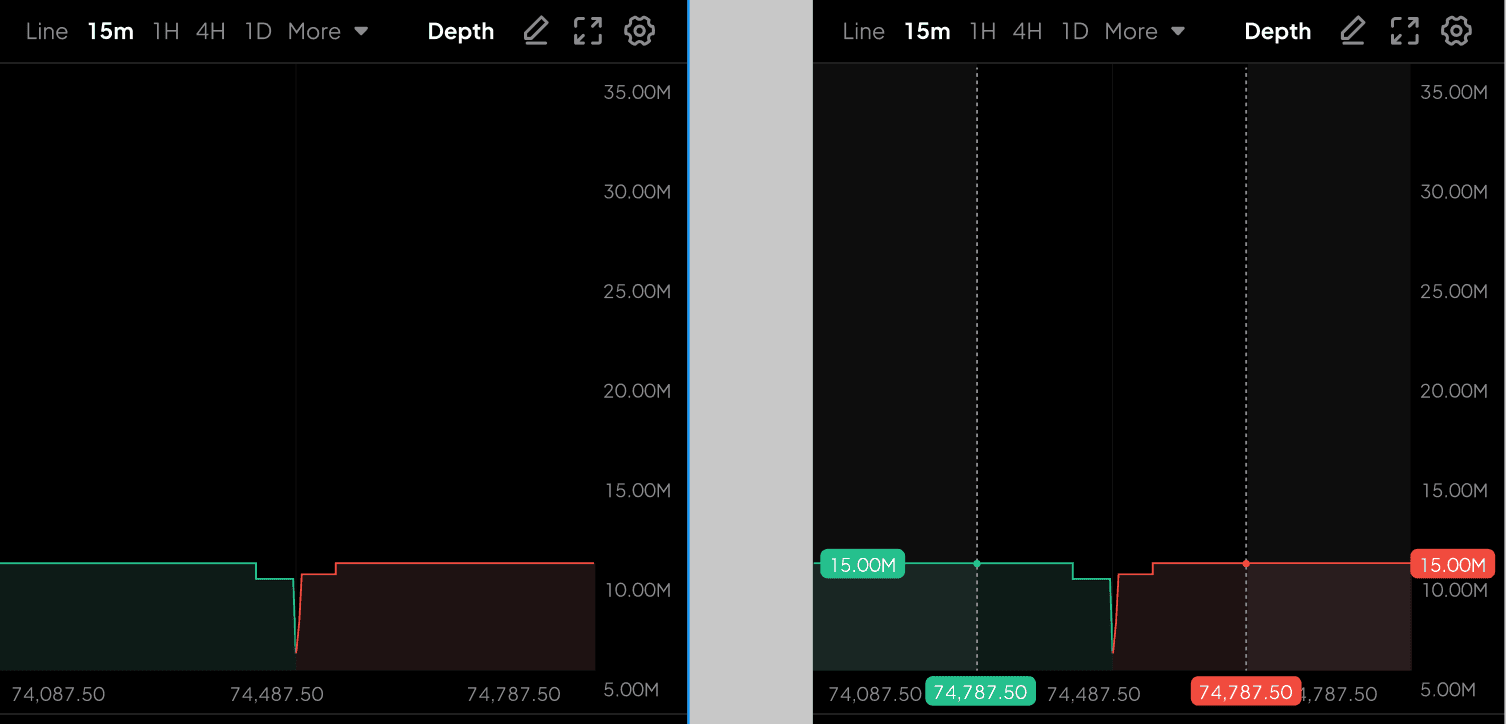
The new depth chart lets you zoom in and explore prices and cumulative order sizes to see how buy and sell orders are distributed. Switch trading pairs, and the depth chart updates with your selection.
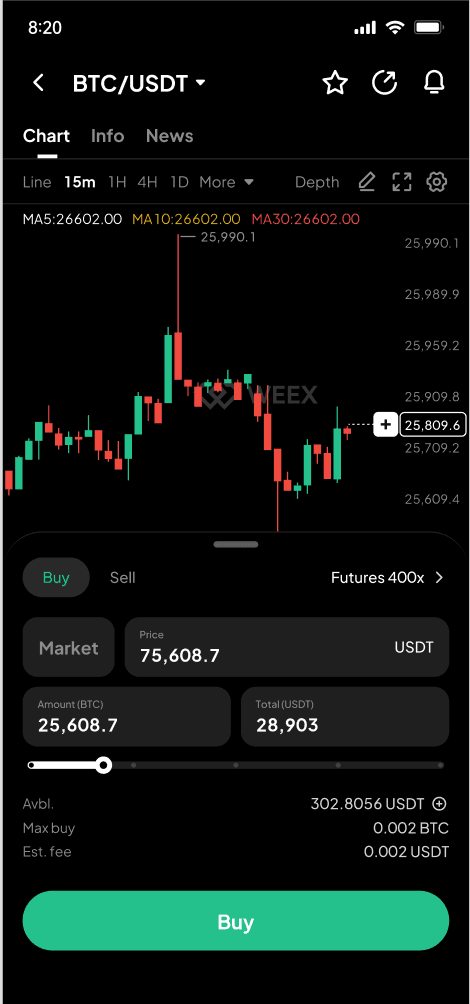
Tap the +, Buy, or Sell marker on the price chart to open the quick-order panel. Switch between market and limit orders while keeping the chart in view.
Keep a price chart on your trading page
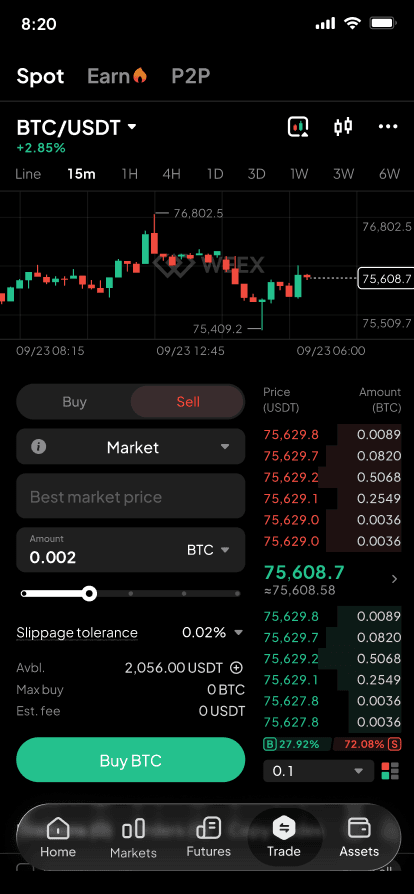
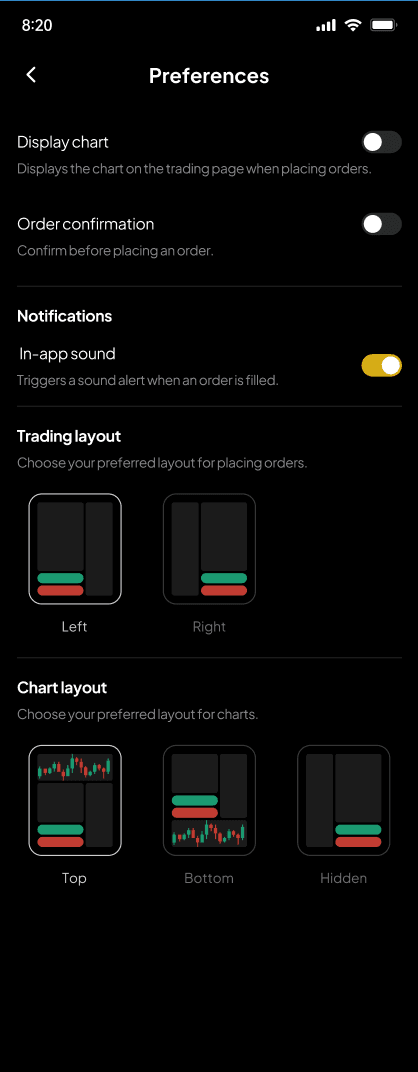
A new chart toggle in the top-right corner lets you expand a compact price chart on the trading page. Tap the dropdown to follow price movements while placing an order. In Settings, choose a top or bottom placement, or hide the chart. The app also remembers whether the chart is expanded.
News for your selected pair
The new News section displays related stories from the past year, with the latest first. Filter by time and source, search for sources, or select several at once. Tap a headline to read the full story. If no related stories are available for the selected asset, the page shows the general breaking news feed.
Stay updated on fills and cancellations
In-app notifications let you know when an order is partially filled, fully filled, or canceled. They disappear after about three seconds. Notifications are on by default, and you can turn them on or off under Preferences → Notifications.
While the app is open, push notifications for spot limit order fills no longer appear as pop-up alerts. They remain available in your phone’s notification center to reduce interruptions.
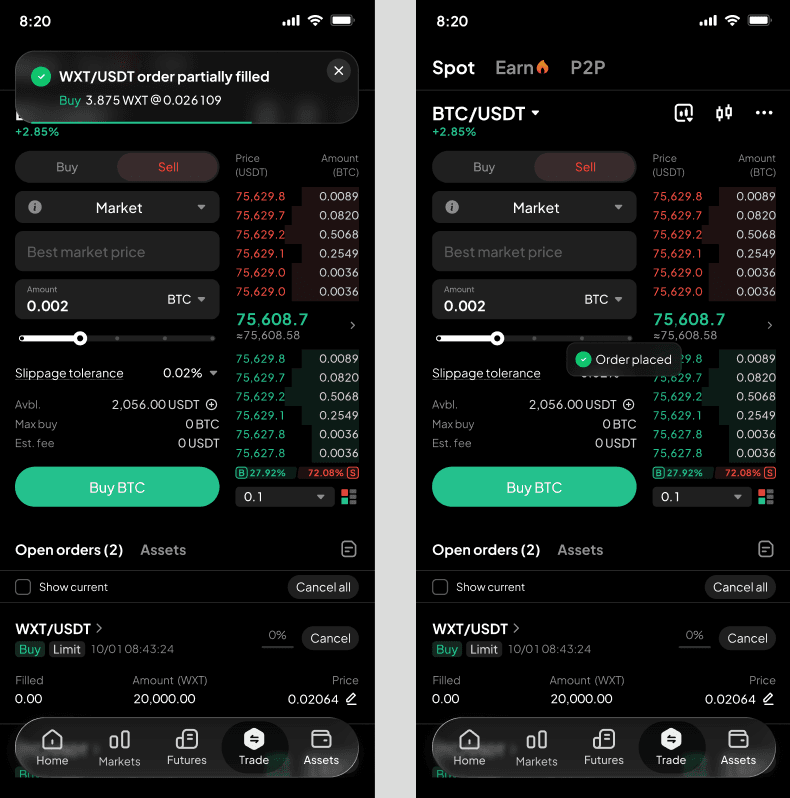
Find and review your trading records
The new Trade History view lets you filter individual fills by asset and side. Open Orders has also been updated, with filters for assets and sides to help you find active orders.
In Order History, filter by asset, order type, side, and status to find market or limit orders that have been filled or canceled. Open an order’s details, or jump directly to the chart for its trading pair.
How to get started
Update to the latest WEEX App and open Spot. Visit a pair’s chart to explore depth or place a quick order, adjust chart and notification preferences in the trading page settings, and review your records under Open Orders, Order History, and Trade History.
Risk warning
Digital asset prices can be volatile, and spot trading may result in financial loss. Depth charts, news, and order notifications are for reference only. They do not constitute investment advice or guarantee execution. Market orders may experience slippage, and limit orders may not fill. Trade according to your financial circumstances and risk tolerance.
This content is provided for general informational purposes only and doesn't constitute financial, investment, legal, or tax advice. Any events, rewards, online promotions, or related information mentioned herein should not be considered a recommendation, solicitation, or invitation to purchase, sell, trade, or otherwise deal in any crypto assets. Crypto assets are highly volatile and may result in loss. The availability of WEEX services, products, and related events may vary by region. You are responsible for ensuring that your participation is in accordance with applicable local laws and regulations.
More launches

WEEX App Futures 2.0

WEEX H5 KYC: Verify Your Identity Without an App or a Desktop

WEEX API Now Supports Transfers and Withdrawals

Save Once, Send Every Time: WEEX Upgrades Address Book for Faster, Safer Transfers

WEEX Passkey Now Supports Withdrawal Verification

WEEX Live Mode 2.0: Turn Your Crypto Stream Into a Growth Engine
WEEX Telegram Mini App: Trade Crypto Spot & Futures Without Ever Leaving the Chat

WEEX Passkey Feature Guide

Trade and Track Orders on the Chart: WEEX Web Spot Upgrades K-line Trading Tools
WEEX Web Spot Order Panel Gets a Major Upgrade

Compare More Markets at Once: WEEX Web Spot Launches Multi-chart Mode

Focus on Market Watching: WEEX Web Spot Launches Watch Mode

Spot Trends Before the Crowd? Try WEEX’s New Market Leaderboard with Hot, Gainers, Losers & More
WEEX P2P now supports DOP, PEN, CLP & BOB—Merchant Recruitment Now Open

WEEX Multi-Market Mode: See 6 Crypto Pairs at Once, Catch Every Breakout

WEEX Launches Multi-Chart Mode: 8 Charts, One Screen, Re-Defining Futures Trading

WEEX P2P now supports TZS & UGX—Merchant Recruitment Now Open

Moving Assets Should Be Effortless: WEEX Rebuilds the Withdrawal Experience From the Ground Up
Contents
Popular coins
Latest coin listings on WEEX


