


How Can I Tell If a WEEX Website in Search Results Is a Phishing Site?
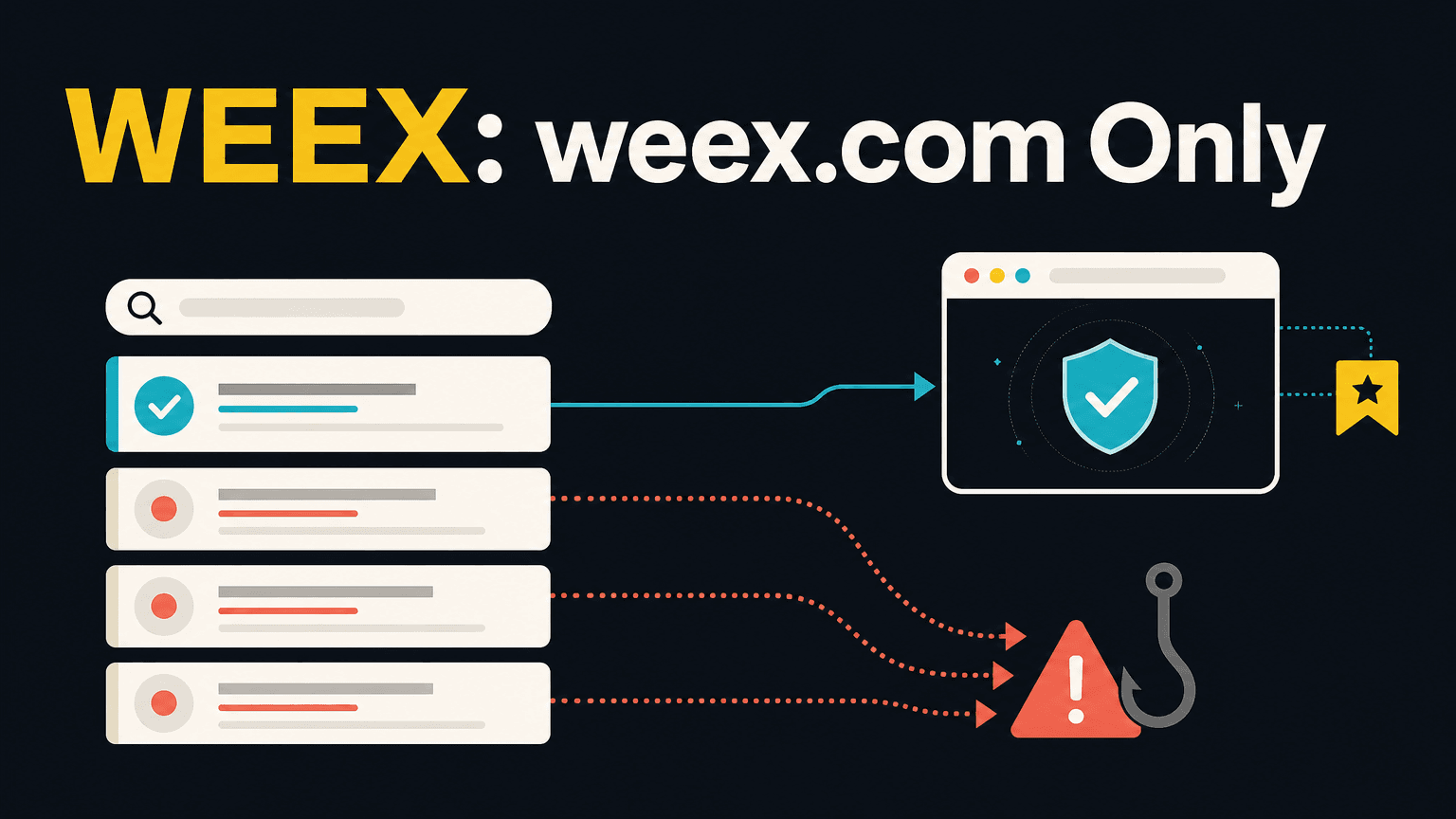
The official WEEX website is weex.com, and the safest way to reach it is to bookmark that address once and use only the bookmark, because a look-alike site from a search result or an ad uses a near-miss spelling or a different domain ending.
One example of a look-alike address is weex.exchange.com instead of weex.com. Any website can also be checked with the WEEX Contact Verifier at weex.com/official-verification. WEEX never asks for passwords or private keys, so a site that does is not WEEX.
What Is the Official WEEX Website Address?
The official WEEX website is weex.com, together with its language sub-paths. There is no other official domain for the website. The official channels, listed as of August 24, 2026, are the support email support@weex.com, X at @WEEX_Official, the Telegram group, Telegram support, Discord, YouTube, LinkedIn and the official app listings.
Anything that is not on that list is not an official WEEX channel. Regional channels are listed on the WEEX community page, and a regional channel that is not on that page is not WEEX. For websites, the address in the browser is what matters, and the look of the page does not. Official notices are published only through the WEEX website and verified official channels.
A page that carries the WEEX name, logo and colors is therefore not proof of anything. Scammers register domain names that closely resemble the official website and create fake official websites or malicious event pages. The question to ask about a search result is whether its domain is exactly weex.com, and not whether it looks like WEEX.
How Can You Spot a Fake WEEX Domain in Search Results?
A fake link renders like weex.com but sits on a near-miss spelling or a different top-level domain, and the tell is in the address bar, not in the page. Check the domain character by character. A different ending, an extra word, a hyphen or a swapped letter means the address is not weex.com.
A concrete example from the phishing guide, published on May 6, 2025, is a URL with a typo, such as weex.exchange.com instead of weex.com. Other warning signs are shortened links that hide the true destination and pop-ups that ask for credentials. Hovering over a link reveals the real URL before it is clicked. In general, a name like weex.exchange.com contains “weex.com” as text but belongs to a different domain, so the part just before the final ending decides who owns the address.
Why Use a Bookmark Instead of Searching?
Bookmark weex.com once and reach the site only through that bookmark. Search-ad impersonation and look-alike domains both stop working against a bookmark, because an ad or a copycat domain cannot redirect a user who never searches for the address. This is the simplest protection available, and it removes the need to judge each search result.
The security guide gives the same advice in different words: do not search for exchanges, use saved bookmarks, check for “https://www.weex.com” and preview links before clicking. The bookmark should be created from a source that can be trusted, for example by typing weex.com into the address bar and saving it, and not from a search result or a link in a message.
Search results are the weak point because they can show paid ads and similar-looking names above the real site. If search is used, the address under the result should be read before clicking, and the domain should be compared with weex.com again after the page opens. The WEEX app should be downloaded only from the official website or the app stores it lists.
How Can You Check a Link With the WEEX Contact Verifier?
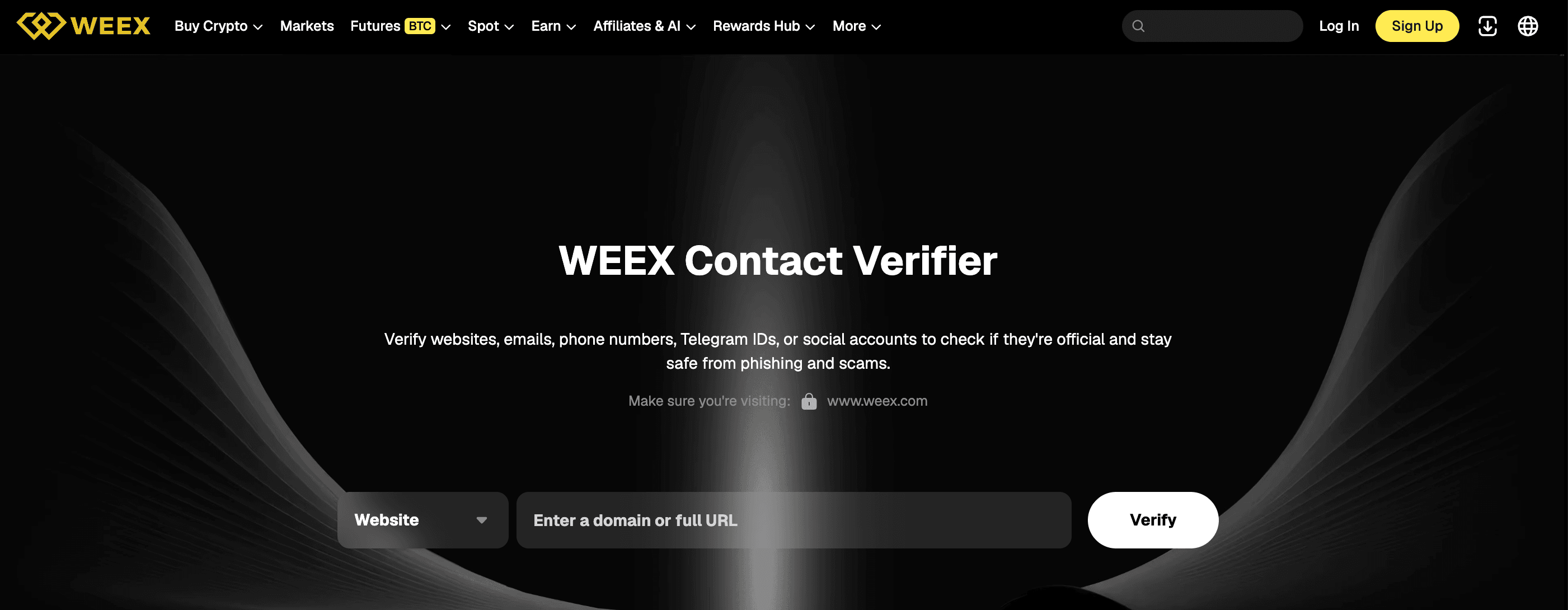
The Contact Verifier at weex.com/official-verification checks websites, emails, phone numbers, Telegram IDs and social accounts to see whether they are official. It has a “Website” field with a dropdown and a “Verify” button, with a prompt that reads “Make sure you’re visiting:” next to a lock icon.
It takes four steps. Do not reply to the message or open the link, and copy the URL, sender address, @handle or phone number. Type weex.com/official-verification into the address bar manually, and do not go there from a link in the suspicious message.
Typing the verifier address manually matters because a link inside a scam message could lead to a fake verifier. For the same reason, a “verified” badge or a security notice shown on an unfamiliar page reached from search should not be trusted. The check has to be run from an address that was typed or bookmarked.
What Do Fake WEEX Websites and Messages Typically Ask For?
Scammers register look-alike domains, create fake official websites or malicious event pages and send suspicious messages. They may send messages about account risks that lead to fake phishing websites, fake pages for asset transfers and “account freeze” schemes. Some pose as customer service and ask for a screen share or remote access to the device.
There are things WEEX does not do. WEEX support answers tickets that users open and never starts the conversation. An official channel admin never contacts a user privately and never asks for funds or digital assets to be transferred to them or to anyone else. A real agent never asks for an authenticator code, SMS code, ID scan or card details, and WEEX never asks for passwords or private keys.
Those lists give a simple test. A site or message that asks for a password in a chat, a verification code, a private key, a transfer to a “safe account” or remote access to the device does not match anything WEEX does. On receiving a suspicious message, stop all actions immediately, verify with WEEX customer support and do not open links in unsolicited emails or messages.
What Should You Do If You Entered Your Details on a Suspected Fake Site?
Change the WEEX password immediately, update or enable two-factor authentication (2FA) and report the attempt to WEEX Support. If there is unusual activity on the account, change the password and contact customer support right away. Any scam attempt that impersonates WEEX should be reported as well.
The password change should be made from the official website reached through the bookmark, not from a link in an email or message. Support is reachable through support@weex.com and the Help Center at weex.com/help, and any other contact should be checked with the Contact Verifier first. If the same password was used on other services, it should be changed there too.
The security alert about fake staff, phishing links and scams describes these tactics in more detail, and the Help Center carries the latest notices.
Conclusion
The official WEEX website is weex.com, and the safest way to reach it is to bookmark it once and use only the bookmark. A fake site uses a near-miss spelling or a different domain ending, so the address should be checked character by character. The Contact Verifier at weex.com/official-verification checks websites, emails, phone numbers, Telegram IDs and social accounts, and WEEX never asks for passwords, private keys or verification codes.
FAQ
1. What is the official WEEX website?
The official WEEX website is weex.com and its language sub-paths. There is no other official domain for the website.
2. How can I tell if a WEEX website from a search result is fake?
Check the address character by character. A fake link uses a near-miss spelling or a different domain ending, such as weex.exchange.com instead of weex.com.
3. Should I search for WEEX or use a bookmark?
Bookmark weex.com once and reach the site only through that bookmark. Search-ad impersonation and look-alike domains do not work against a bookmark.
4. How do I check whether a link or contact is official?
Use the Contact Verifier at weex.com/official-verification, typing the address into the browser manually. It checks websites, emails, phone numbers, Telegram IDs and social accounts.
5. What should I do if I entered my login details on a fake site?
Change the password immediately, update or enable two-factor authentication and report the attempt to WEEX Support at support@weex.com.

Gainers


